Alignment
Processing images from a total solar eclipse is particularly challenging because the sun and the moon are moving in the sky. To create a composite image where both are sharp, Umbra first aligns all images on both objects.
Moon alignment
Aligning on the moon is straightforward: it is a dark disk with a sharp edge that can be detected at any exposure level.
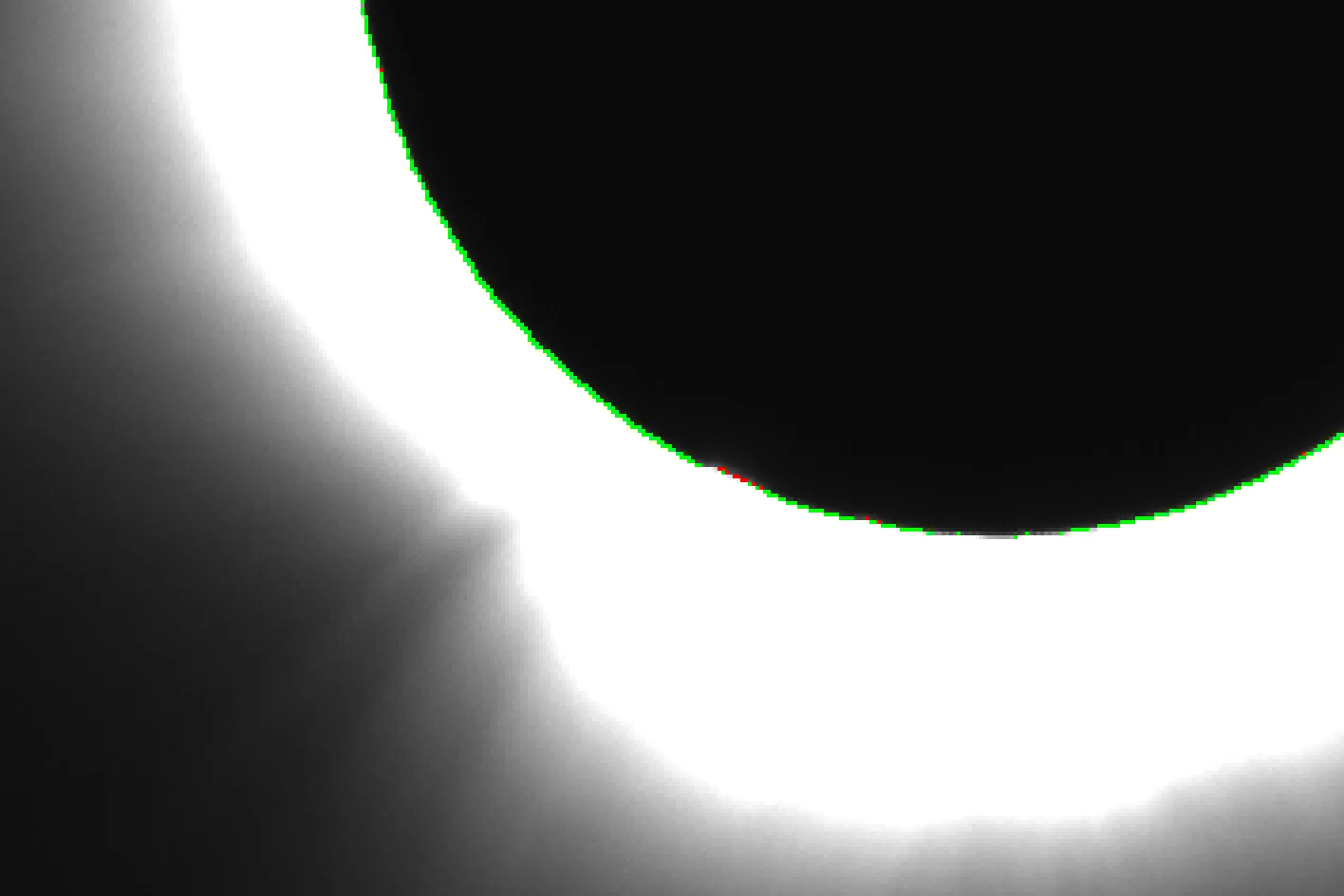
Umbra needs an initial guess for the radius of the moon in pixels, which is determined by the image scale (arcseconds per pixel). You can compute it from the pixel size and focal length of your setup:
image scale = 206.265 × pixel size (µm) / focal length (mm)
The moon detection can be tuned with a few parameters, but the defaults are usually fine. Hover over them in Umbra for more information.
Sun alignment
While aligning the images on the moon is relatively easy, aligning them on the sun is another story. During totality, the sun itself is hidden by the moon, so we need to rely on structures in the corona instead. The problem is that these structures are very low contrast and are barely visible in the short exposures.
So Umbra uses a trick. The key is that the sun moves predictably relative to the moon: it drifts along a straight line at a constant speed. This means we don't need to explicitly align every image on the sun. By aligning just two of them, we can estimate this motion and use it to align all the others.
In Umbra, those two images are called anchors. They should be long exposures, so that the outer corona has good SNR, and shot with the same camera settings, so that the same structures are visible in both. They should also be spread as far apart in time as possible, to improve the accuracy of the estimated motion. Finally, they should not contain diamond rings or Baily's beads, which will throw off the alignment. By default, Umbra will try to pick the anchors automatically.
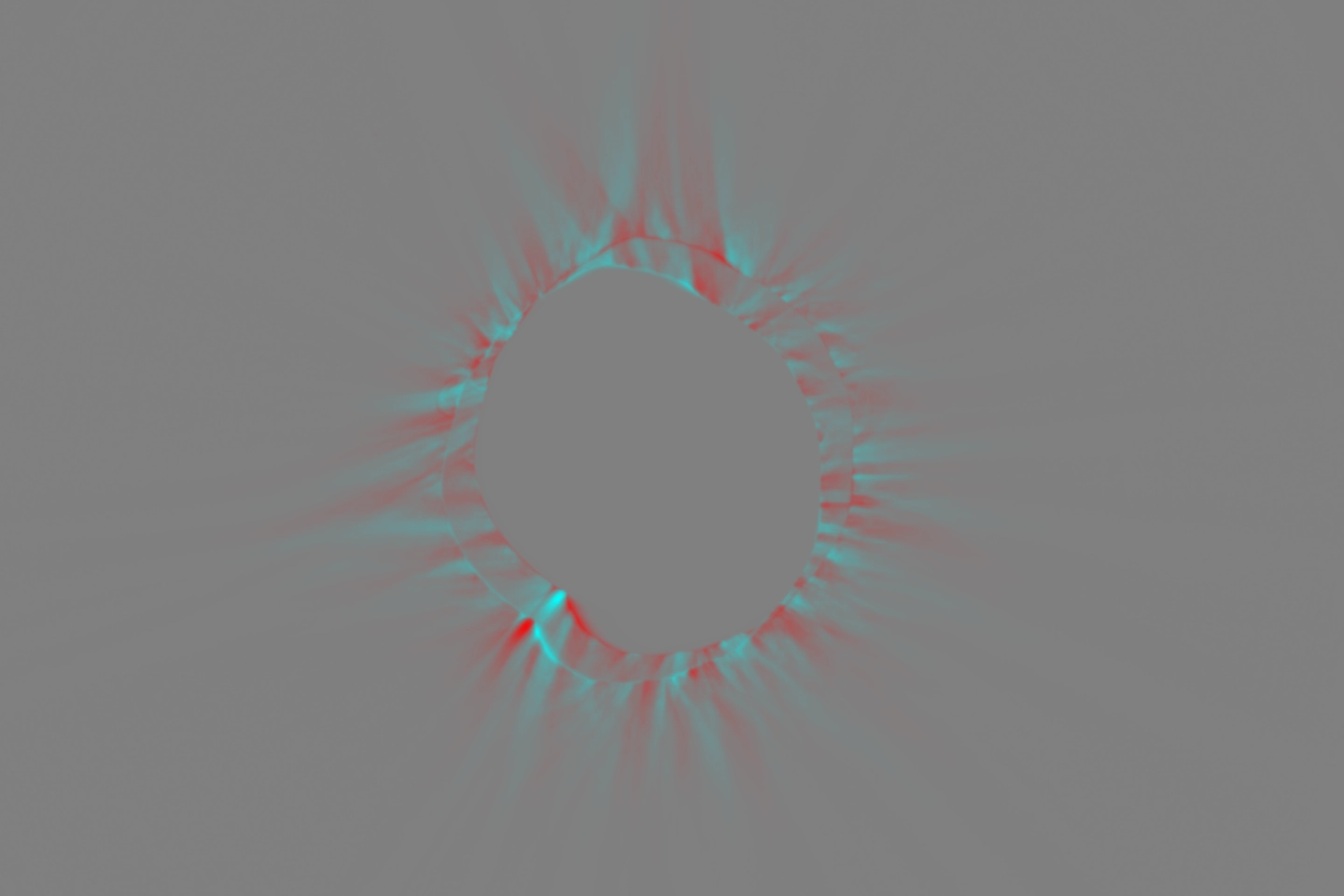

The other images are aligned without ever looking at the corona. Umbra detects the moon, then works out where the sun should be relative to it at that time, based on the motion estimated from the anchors. Importantly, since the moon is our reference point, the sun alignment can only be as good as the moon detection.
Troubleshooting
The moon alignment is wrong
The moon was not detected properly in some of the images. To find them, check the moon detection plots. The best indicator is the inlier fraction plot: when the detection goes wrong, it is because edge points were found away from the moon's border, and the fraction drops. Hover over it to see which image it is.
Run the alignment again, pause it during the moon detection to see the detected border in the image viewer, and adjust the moon detection parameters (see Moon alignment).
The sun alignment is wrong
If the moon alignment is wrong too, fix that first (see The moon alignment is wrong): the sun alignment is derived from the moon detection.
Otherwise, check the anchors. Umbra prints their filenames in the console: if they are not good anchors (see Sun alignment), select them manually. Run the alignment again and pause it while they are being aligned: at the end, the image viewer should look like the figure above after alignment, with no visible coronal structure left. If some structures remain, increasing the high-pass filter can help on noisy images.
The console warns Detected moon radius is outside the expected range
Check the image scale: the pixel size must be in microns and the focal length in millimeters, without crop factor. If it is correct, the moon was not detected properly in that image (see The moon alignment is wrong).
The console warns Could not extract timestamps from FITS headers
Umbra reads the time at which each image was taken from the FITS headers, and needs it to work out where the sun is relative to the moon (see Sun alignment). If you used Umbra to convert your files to FITS format, check if the timestamps were included in the original EXIF metadata. If you converted your files with other software, make sure it writes the DATE-OBS keyword. You can also check this in the file viewer: the Timestamp column should be filled.
Without timestamps, Umbra aligns every image on the sun directly, which only works if all frames were shot at the same exposure.
The alignment stops with Automatic anchor selection failed
Umbra picks the anchors from an exposure group in which the inner corona is sufficiently clipped. Two things can go wrong.
The first possibility is that there may be no such group. For example, you shot short exposures only. In that case, select the anchors manually (see Sun alignment).
The other possibility is that Umbra may not be able to tell the exposure groups apart, because the exposure time is missing from the FITS headers. You can verify this in the file viewer: it would then have no Exposure column. If you used Umbra to convert your files to FITS format, check if the exposure times were included in the original EXIF metadata. If you converted your files with other software, make sure it writes the EXPTIME or EXPOSURE keyword.